
BBC: World News & Stories
BBC Studios Distribution Ltd.News & Magazines
3.132.70K Reviews
- Version
- 2026.10.0
- Installs
- 10.00M
- Age Rating
- Teen
Screenshots
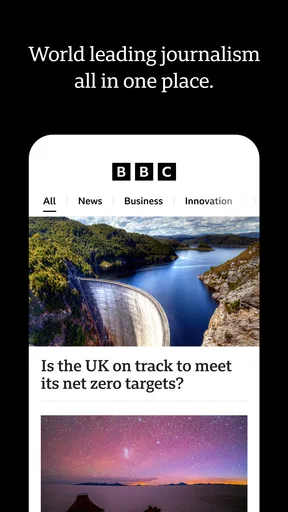
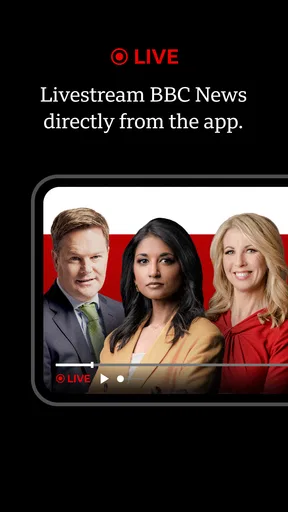
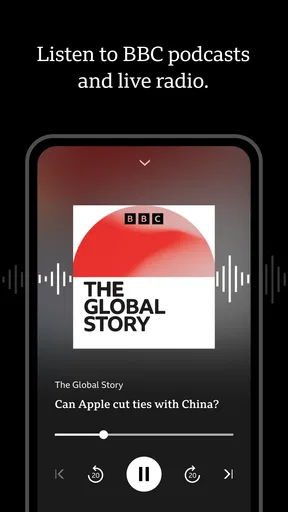
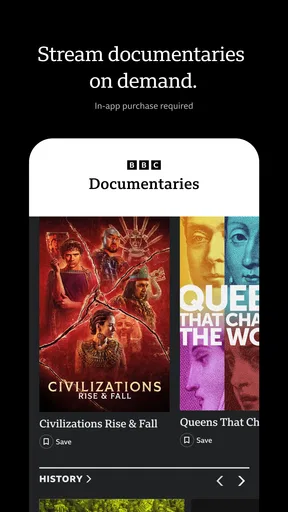
Our Review of BBC: World News & Stories
 Analysis by Appyee
I reach for BBC: World News & Stories when I want a quick sense of what is happening beyond my usual headlines, without opening a string of separate news apps. The useful question is not whether it can replace every source I read, but whether its mix of live coverage, articles, video and audio suits the way I follow events. For me, it works best as a broad daily news companion, with a few trade-offs worth knowing before it becomes part of your routine.
Choose it for the kind of news habit you want
Before installing any news app, I think about two things: how I prefer to catch up and how much control I want over what appears. If I mainly want a concise stream of headlines from several publishers, an aggregator may be a better fit. If I want one established newsroom’s reporting presented in several formats, the BBC’s app is a more natural choice. It is a free news and magazines app from BBC Studios Distribution Ltd., and its combination of written stories, live coverage, podcasts and video gives me different ways into the news rather than just a scrolling headline list.
That range matters on an ordinary day. I might read a short update while waiting for a bus, save a longer piece for a quieter moment, and listen to a podcast while doing chores. The app is aimed at a Teen audience, so I would still use my judgement about which stories and discussions are appropriate for younger readers. It has a 3.5 average from around 437,000 ratings, alongside roughly 32,000 written reviews; those numbers suggest a widely used product with a mixed reception, not a guarantee that every part of the experience will suit everyone.
How it fits into an everyday routine
A realistic use case is checking the headlines over breakfast, then returning later when a developing story catches your attention. The top-story feed is useful for that first pass, while live broadcasts and video can add a sense of immediacy when reading a short headline is not enough. I would treat the home feed as a starting point, not a complete picture: a quick scan helps me decide what deserves more time, but it is not the same as carefully comparing several accounts of a complicated event.
Personalization can make the routine more relevant if you follow particular subjects or regions. I’d begin with a small set of interests rather than trying to tune every detail at once. That keeps the feed from becoming too narrow before you know what you actually enjoy reading. It is also worth occasionally looking beyond those preferences: a tailored stream is convenient, but an unexpected story can be exactly the one you would otherwise miss.
Where its mix of formats is strongest
The clearest advantage is having several ways to follow a story within one app. Text suits careful reading and quick reference; video can make a report easier to understand when pictures add useful context; podcasts work when your eyes are busy but your ears are free. That flexibility is more meaningful than simply having many sections. It lets me choose a format according to the moment, instead of assuming every update deserves the same kind of attention.
There is a practical trade-off, though: video and live coverage are less suited to a quiet, low-bandwidth moment than text. If I am in a waiting room or using a limited connection, I would start with an article and leave streaming for when it makes sense. Podcasts also reward a longer stretch of attention, so they are better for a commute or household task than for a quick check between meetings. Picking the format deliberately helps the app feel useful rather than busy.
What to expect from alerts and saved reading
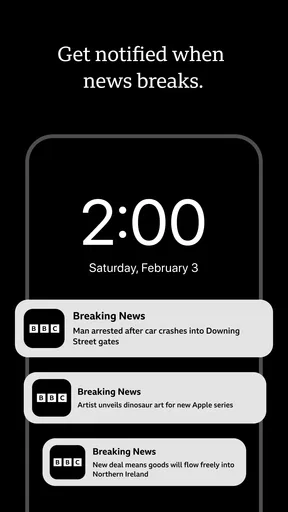
Notifications are a personal choice, not something I would enable wholesale just because a news app offers them. I prefer to keep alerts focused on genuinely important updates and use the app itself for routine browsing. If every headline interrupts your day, switch off or reduce the alerts that do not earn that interruption. Breaking news can be valuable in the moment, but frequent notifications can also turn a calm check-in into a constant stream of distractions.
Saving an article for later is most helpful when I use it as a deliberate reading queue. I can save a piece during a short break, then open it when I have time to follow the details rather than skimming and forgetting it. For a commute, it is sensible to save stories while connected and check that they are available before relying on them offline. I would not assume that every type of content behaves like a saved article: listening to a podcast or watching a live report is a different use case from reading text away from a connection.
How it compares with other news choices
Compared with a general headline aggregator, this app feels more like following one publisher’s reporting and presentation than building a blended feed from many outlets. That can be an advantage if you value a familiar editorial voice and want the BBC’s live and multimedia coverage alongside articles. It can be a limitation if your main goal is to see several publishers’ treatments of the same story in one place. In that case, I would use an aggregator for breadth and the BBC app for a focused second perspective, rather than expecting either one to do both jobs perfectly.
It also differs from getting news through a browser: an app can make a repeatable routine and saved-reading habit easier, while a browser may suit someone who does not want another dedicated app or prefers to move between publishers freely. Neither approach is automatically better. If you already have a reliable reading routine elsewhere, switching only makes sense if the BBC’s live coverage, formats or topic selection fill a real gap. Otherwise, adding one more feed can create more checking without making you better informed.
Practical limits, cost and switching
The app is free to download, though it lists in-app purchases ranging from $8.99 to $89.99 per item. I would check the purchase details in the app before confirming anything, especially if you only intend to read the free news content. The app has been available since June 9, 2011, and its current version is 9.0.10.0, but a long history does not remove the usual day-to-day friction: loading may slow during heavy breaking-news traffic, and media-heavy coverage can be less convenient than text when time or connectivity is tight.
It has over 10 million installs and requires Android 7.0 or later. If you are considering a switch, you do not need to abandon your current sources immediately. Try it alongside your existing routine for a few days: use the BBC feed for a broad check-in, open a live report only when the story benefits from it, and save longer reads for a planned break. Then ask whether it has reduced effort or merely added another place to check. That small test is a better guide than installing it and turning on every alert at once.
Who should choose it—and who may prefer something else
I would recommend it to readers who want a steady way to follow international and general news, value having text and media together, and are happy to make one publisher a regular part of their routine. It can also suit someone who prefers listening or watching at times when reading is inconvenient, while still wanting articles for closer attention. Its scale and long-running presence make it an easy option to try, but the right fit depends on whether its editorial selection matches the subjects you care about.
I would look elsewhere if you need a feed built around many publishers, want a highly specialized source for a narrow subject, or find breaking-news alerts stressful. A person who only checks headlines once a week may also get little benefit from adding another app, while someone who wants to compare coverage should pair it with other sources rather than treating one feed as the whole story. For younger users, the Teen rating is a useful signal, but it is still sensible for families to decide what kinds of news content are appropriate.
If you do install it, my practical advice is to shape the feed gradually, keep notifications selective, and use saved articles for reading rather than expecting every format to work equally well offline. Those habits make the difference between a helpful news routine and an app that simply asks for more attention. In my experience, BBC: World News & Stories is most worthwhile when you want a convenient route into BBC reporting and know when you need another perspective. I’d give it a try if that is what your current setup is missing; if your priority is a multi-publisher overview, choose an aggregator or keep your existing mix instead.
Keeping Up with the World
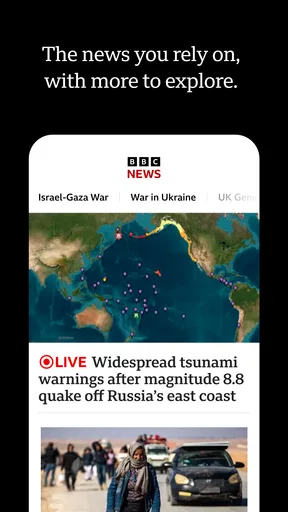
The first thing I noticed about the BBC: World News & Stories app is its sleek and intuitive interface. You dive straight into the action with a homepage that curates top stories and breaking news from around the globe. It’s like having your very own newsroom in your pocket. Trust me, this app is a game-changer for news junkies.
Features that Stand Out
One of the features I truly appreciate is the personalization option. The app lets you tailor your newsfeed based on topics and regions you're interested in. Whether it’s politics, tech, or cultural stories, you can customize your feed to match your interests. This means you’re not wading through stuff you don’t care about. Pretty neat, right?
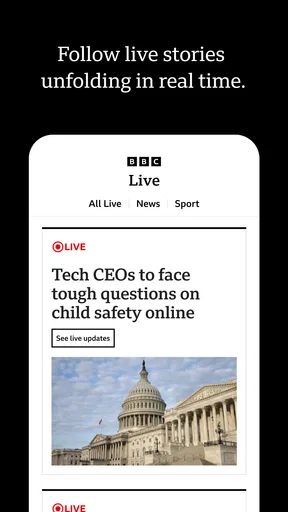
Another feature that deserves a shout-out is the live news section. You can watch live broadcasts from BBC News, which ensures you’re getting the freshest updates as they happen. For those of us who love a good video story, the video section is packed with engaging and well-produced content.
Notifications and Alerts
Now, let's talk about notifications. Some apps bombard you with alerts, but this one is rather considerate. You can choose how often you receive updates, and you’re only pinged for the most significant stories. It’s like having a personal news assistant who knows exactly what you want to hear about.
Offline Reading
For those times when your internet connection decides to play hide and seek, the offline reading feature is a lifesaver. You can save articles to read later, perfect for those long commutes or lazy Sunday mornings when you just want to catch up on some reading without distractions.
In-Depth Analysis and Podcasts
If you enjoy diving deeper into stories, the app offers an array of in-depth analysis pieces. These articles provide context that’s often missing from quick news bites. Plus, the podcasts section is a treasure trove of insightful discussions and interviews. Whether you’re into politics or culture, there’s something here to tickle your fancy.
User Experience and Design
The usability of the app is top-notch. Navigating through various sections feels fluid and seamless. The design is clean, with a straightforward layout that doesn’t overwhelm the senses. It's clear the developers put a lot of thought into making this app user-friendly.
Minor Quibbles
Of course, no app is perfect. Occasionally, loading times can be a tad slow, especially when there's heavy traffic due to breaking news. But hey, that’s the price we pay for having a global news source at our fingertips.
Final Thoughts
All in all, the BBC: World News & Stories app is a must-have for anyone eager to stay informed. It combines a wealth of information with user-friendly features, making it an indispensable tool. So, if you’re ready to transform your news-gathering experience, give it a whirl. You might just find it becomes your go-to app for all things news.
Privacy and Permissions
See what permissions an app requests and how it handles your data.
- Phone
- read phone status and identity
- Photos/Media/Files
- read the contents of your USB storage, modify or delete the contents of your USB storage
- Storage
- read the contents of your USB storage, modify or delete the contents of your USB storage
- Wi-Fi connection information
- view Wi-Fi connections
- Device ID & call information
- read phone status and identity
- Other
- view network connections, full network access, run at startup, control vibration, prevent device from sleeping
Verdict
Strengths of BBC: World News & Stories
- User-friendly interface for easy navigation.
- Wide range of global news coverage.
- Regular updates with breaking news alerts.
- Personalized news feed options available.
- Offline reading mode for convenience.
Limitations of BBC: World News & Stories
- Occasional slow loading times.
- Some features require a subscription.
- Ads can be intrusive for free users.
- Limited customization for notifications.
- No dark mode option available.
Other Releases by BBC Studios Distribution Ltd.
View All
Hey Duggee: We Love Animals
Educational4.1

Hey Duggee: The Big Badge App
Educational3.7
Similar Picks in This Category
View All
Google News - Daily Headlines
Google LLC4.0

X
X Corp.4.8

Flipboard:Your Social Magazine
Flipboard3.4

Opera News: breaking & local
Opera4.5

Hindi News by Dainik Bhaskar
Dainik Bhaskar Group4.0

Way2News Daily News App
Way2News ( Formerly Way2SMS )4.6
Frequently Asked Questions
What features does the BBC: World News & Stories app offer?
The BBC: World News & Stories app provides users with access to the latest global news, in-depth analysis, and exclusive stories. It features live news streams, personalized news feeds, and notifications for breaking news. The app also allows users to watch video reports and listen to audio content from the BBC's trusted sources.
Is the BBC app free to use, and are there any in-app purchases?
Yes, the BBC: World News & Stories app is free to download and use. There are no in-app purchases required to access its content. However, users should be aware that data charges could apply when streaming video or audio content, depending on their mobile plan.
Can I customize the news content I see in the app?
Absolutely! The app allows users to personalize their news experience by selecting topics or regions of interest. This customization ensures that your news feed is tailored to your preferences, making it easier to stay updated on the stories that matter most to you. Notifications can also be adjusted according to your interests.
Is the BBC app available on both Android and iOS devices?
Yes, the BBC: World News & Stories app is available for download on both Android and iOS platforms. Users can find it on the Google Play Store for Android devices and the Apple App Store for iOS devices. It's optimized for a wide range of smartphones and tablets.
How frequently is the news content updated in the app?
The BBC app provides real-time updates to ensure users receive the latest news as it happens. Breaking news notifications are sent promptly, and the app's content is continually refreshed throughout the day. This ensures that you are always informed with the most current information available.
